City Watch
Real-time surveillance and response platform for Punjab Safe City Authority
Client
Punjab Safe City Authority
Role
Principal UX/UI Designer
Team
5–10 people
Platform
Web Application
Timeline
2022
The challenge
How do you give a single police officer situational awareness across 8,000+ cameras during a high-stakes public event where minutes matter?
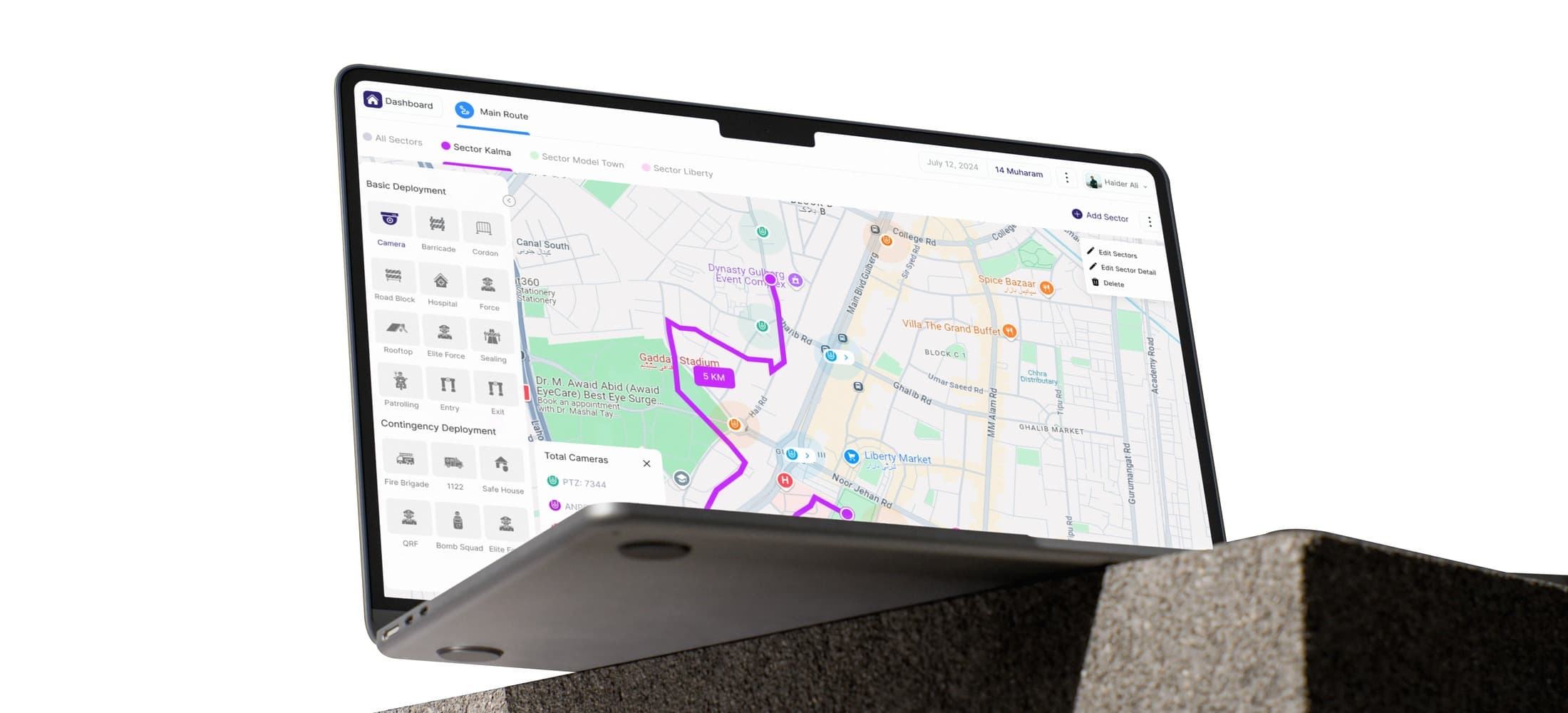
PSCA had invested in a modern 8,000+ camera network through a third-party vendor, but that system was expensive and inflexible. Meanwhile, field inspectors coordinated by radio, tracked deployments on spreadsheets, and communicated through WhatsApp. The technology watching the city was modern. The humans coordinating the response were operating like it was 1995.
City Watch was built to close that gap: a purpose-built platform giving PSCA full ownership of event coordination, deployment management, and threat detection without vendor lock-in.
What the research revealed
identified communication as critical
needed a unified dashboard
struggled coordinating teams
Personas
Fictional names representing real PSCA personnel
Ali Khan
Field Inspector
Age: 40+ · Exp: 10-15 yrs · Tech: Medium
Veteran inspector managing on-ground deployments. Comfortable with basic apps but not a power user.
Goals
• Respond to threats with real-time data
• Monitor zone without being everywhere
• Seamless control room coordination
Pain points
• Managing large areas manually
• No real-time information in the field
• Identifying threats without live support
Before
“I need to know what’s happening in my zone without calling 10 people. By the time I get answers, the situation has already changed.”
Sarah Ahmed
Operations Coordinator
Age: Late 20s · Exp: 2-5 yrs · Tech: High
Young coordinator managing event planning and multi-team deployments. Tech-savvy, frustrated by outdated systems.
Goals
• Full visibility of all resources during events
• Track deployments without calling each team
• Learn from past events to improve planning
Pain points
• No unified view of all deployments
• Spreadsheets failing at scale
• Can’t track multiple teams at once
Before
“I manage 15 teams with a spreadsheet and a phone. During a live event, that’s not coordination. That’s guessing.”
Field operations
Live map, deployment, alerts
Control room
Monitoring, coordination, planning
Hybrid card sort: users grouped features by role, not by function
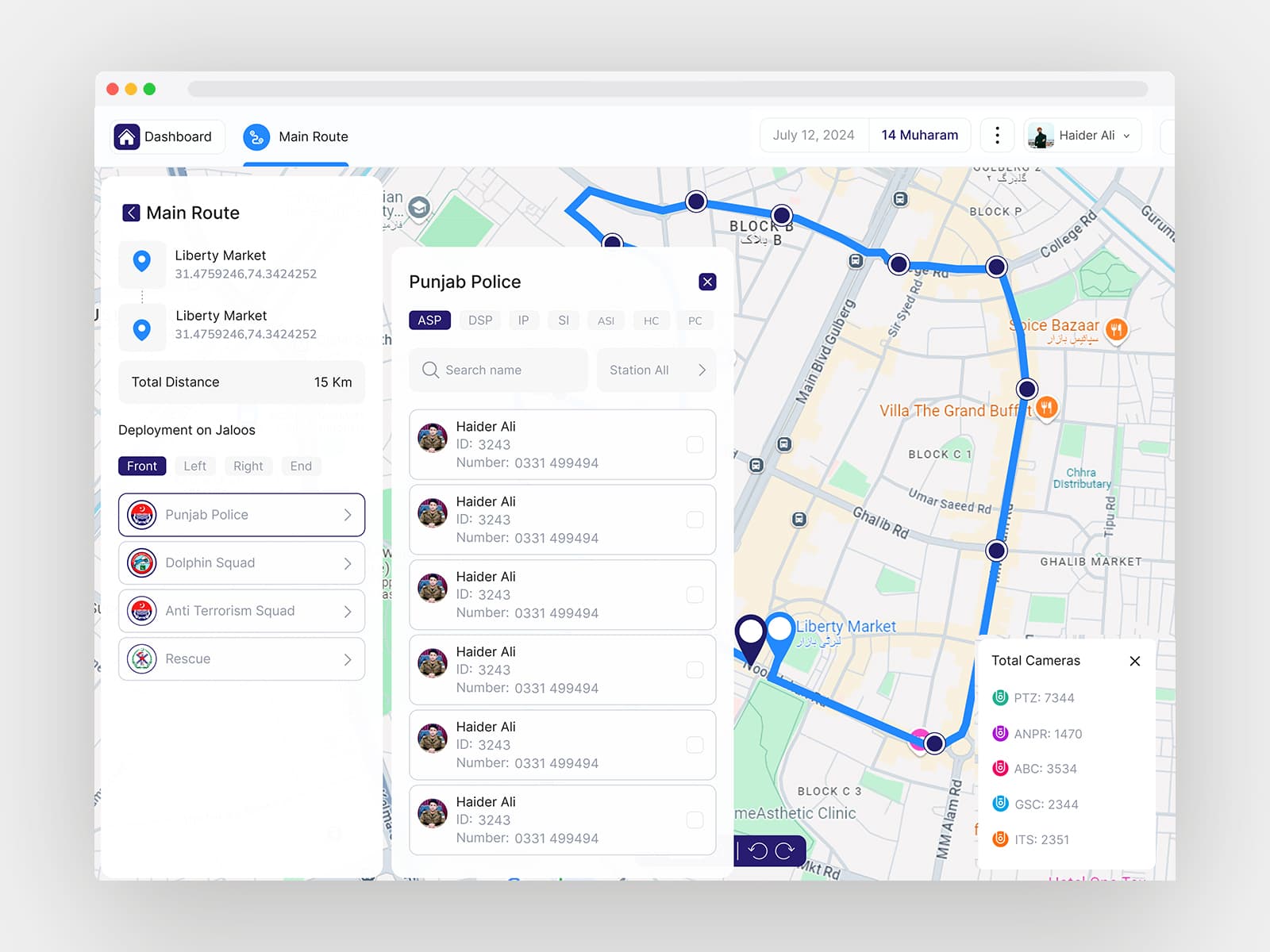
This shaped the layered dashboard: map-centric default with role-specific panels
Key design decisions
Layered dashboard, not tabs or a dense single view
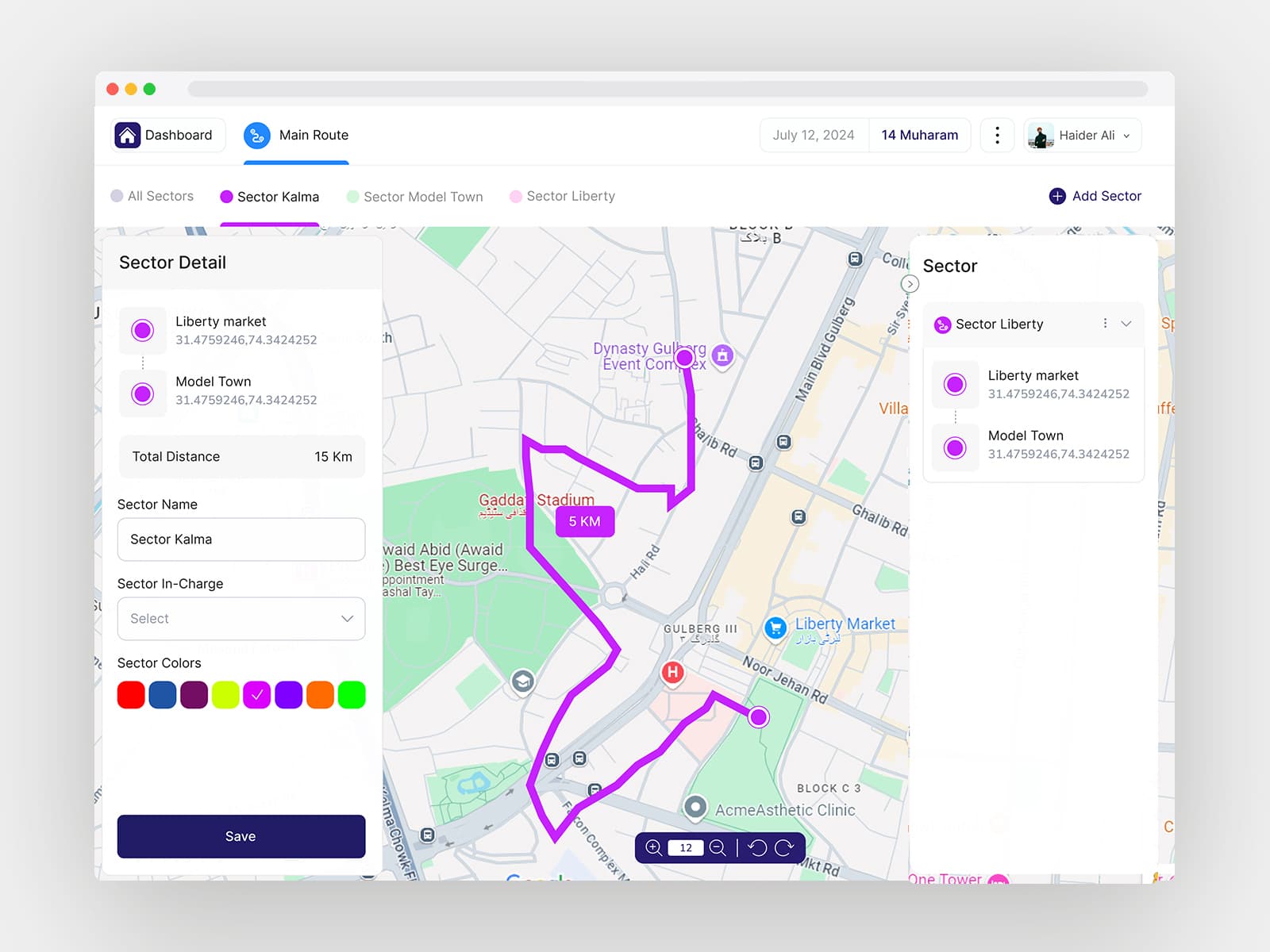
84% wanted everything visible, but cognitive overload would be dangerous under pressure. We chose a map-centric default with expandable specialist panels: context without clutter.
Two event types: procession vs. venue
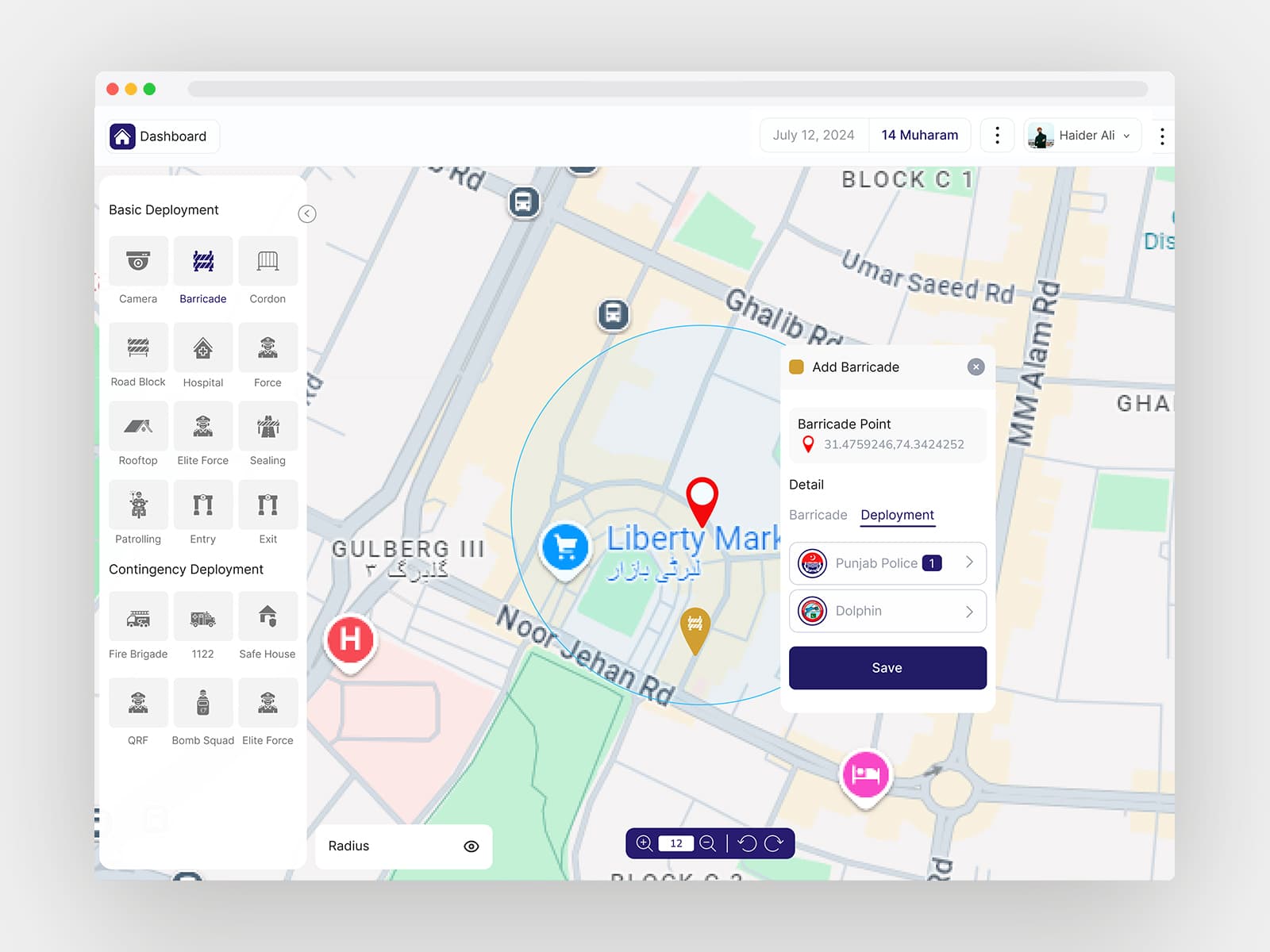
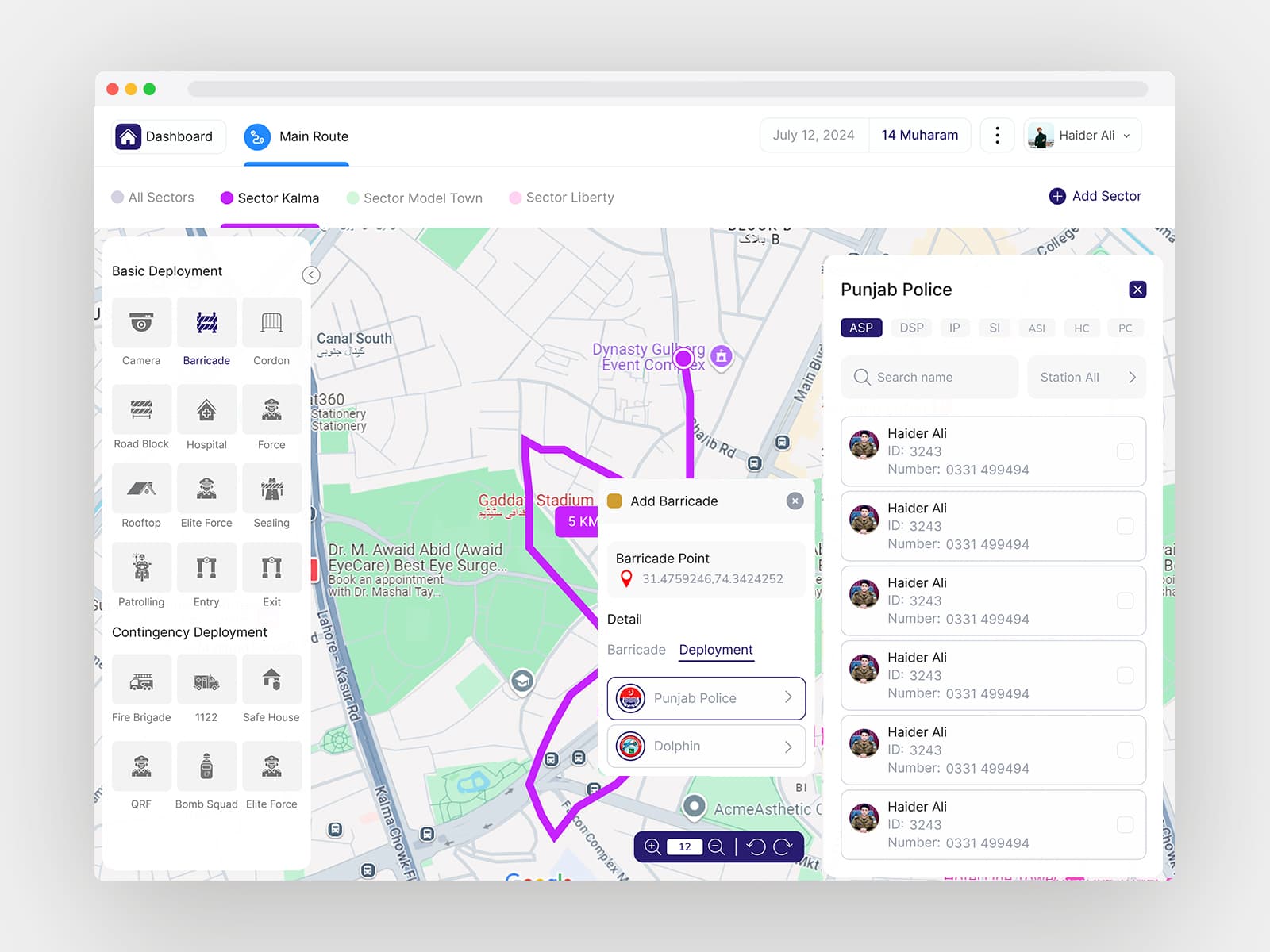
Stakeholder testing revealed that moving processions and fixed venues need fundamentally different security planning. This split cascaded through deployment templates, map visualizations, and alert logic.
Expanded deployment categories
Added contingency deployments (fire brigade, bomb squad, medical) alongside standard police deployments, rethinking map visualization and resource tracking for fundamentally different unit types.
Validation
SUS score: above-average usability
rated usability as high
The platform was in active pilot testing with PSCA when I transitioned, built to integrate with the 8,000+ camera network.
Reflection
Design for stress, not comfort. Institutional complexity is a design material. And navigating stakeholders with competing priorities (field officers wanting simplicity, coordinators wanting data, leadership wanting visibility) was the most transferable skill I took from this project.