eBiz Punjab
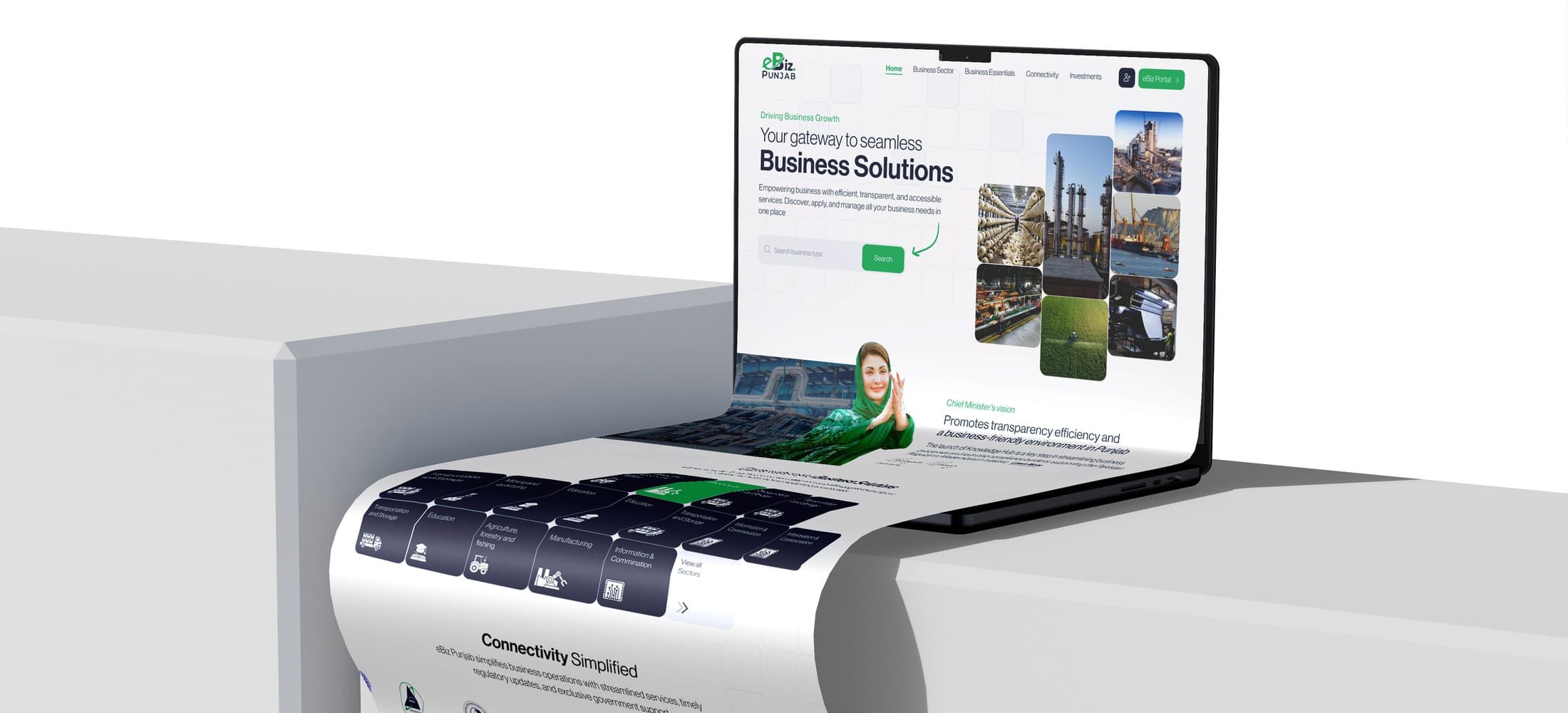
An entrepreneur shouldn’t need to understand government structure to start a business
Client
Government of Punjab
Role
Program Manager, Design
Team
5–10 people
Platform
Web Portal + Admin CRM
Timeline
2024–2025
The challenge
Starting a business in Punjab used to mean visiting multiple government offices, submitting the same documents to different departments, paying separate fees at separate counters, and waiting weeks without knowing which department was holding things up.
Punjab already had a Business Registration Portal (BRP), launched in 2018. It worked: over 100,000 businesses registered through it, and the model was replicated by Sindh and Balochistan. But the BRP only handled registration. Once a business was registered, the owner still needed to visit separate departments for trade licenses, NOCs, labour permits, environmental clearances, and construction approvals.
eBiz was built to replace that fragmented experience with a unified platform covering the complete lifecycle of Registrations, Licenses, Certificates, and Other Permits (RLCOs). The scope was fundamentally broader than the old BRP: not just “register your business” but “start, operate, and grow your business through one digital interface.”
Parallel routing: one application, multiple departments
The user submits once. The system routes simultaneously. The dashboard shows every status in real time.
Input
One application
One form, one payment, one submit
Routes simultaneously to
Industries
2 days
Receives only what they need
Labour
5 days
Receives only what they need
PESSI
3 days
Receives only what they need
Environment
4 days
Receives only what they need
Converges into
Output
One dashboard
Unified status, real-time, all departments
The user sees one progress bar. Behind it, multiple departments work in parallel on the same application, each seeing only the documents relevant to their approval.
Key design decisions
The business type wizard: translating government language into user language
Users didn’t know which departments they needed. A restaurant owner doesn’t think in terms of “Shops & Establishment Registration with Labour Department.” They think: “I want to open a restaurant.” Asking users to identify the right government services was asking them to do the government’s job.
The wizard starts with a single question: “What kind of business are you starting?” The system auto-identifies every registration, license, certificate, and permit required for that specific type, presented in plain language. The user never sees department names during this step.
This was the single most important design decision on the project. It transformed the portal from a government-structured system (organized by departments) into a user-structured system (organized by intent). Every subsequent design decision (the document upload, the routing, the dashboard) built on this foundation.
Multi-department routing: parallel approvals, unified tracker
Different departments had different approval timelines. In the old system, applicants tracked each department separately, followed up individually, and had no visibility into which approval was pending. A single slow department could stall an entire business launch without the owner knowing why.
The system routes a single application to every required department simultaneously. Each department receives only the documents relevant to their approval. Approvals happen in parallel, not in sequence. The user sees a unified progress tracker showing the status of each department’s review in real time.
This was the hardest UX challenge on the project. The routing logic is complex: different departments need different subsets of documents, have different workflows, and operate on different timelines. But the user-facing interface had to be simple: one progress bar, one status page. The design challenge was absorbing the backend complexity so thoroughly that the user experience feels effortless.
Progressive forms: designing against abandonment
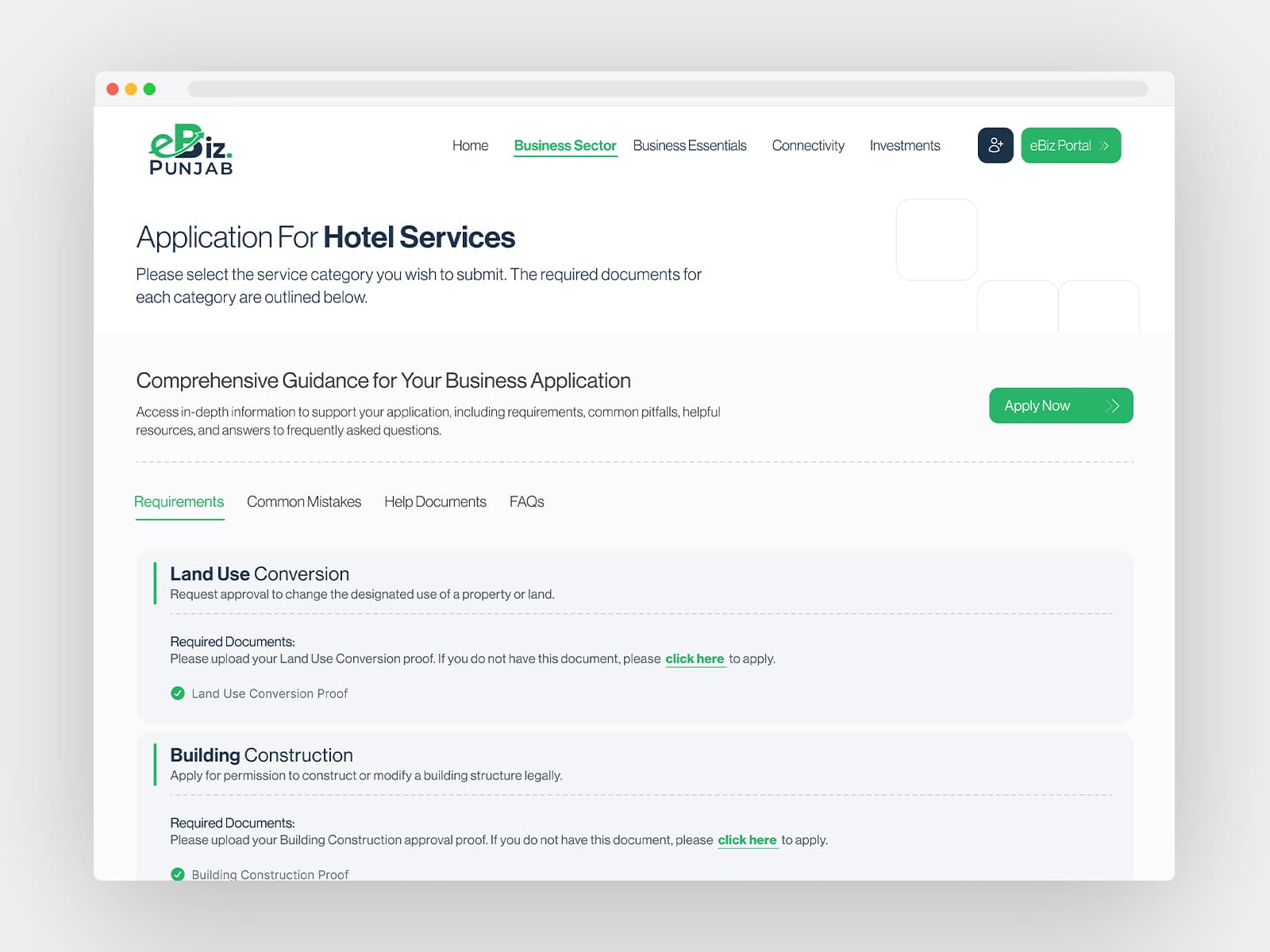
Document requirements varied dramatically by business type. A sole proprietorship needs different documents than a factory. The old approach showed every possible field and let users figure out which ones applied. Users abandoned these forms midway: they’d start, hit a field they didn’t understand, and leave.
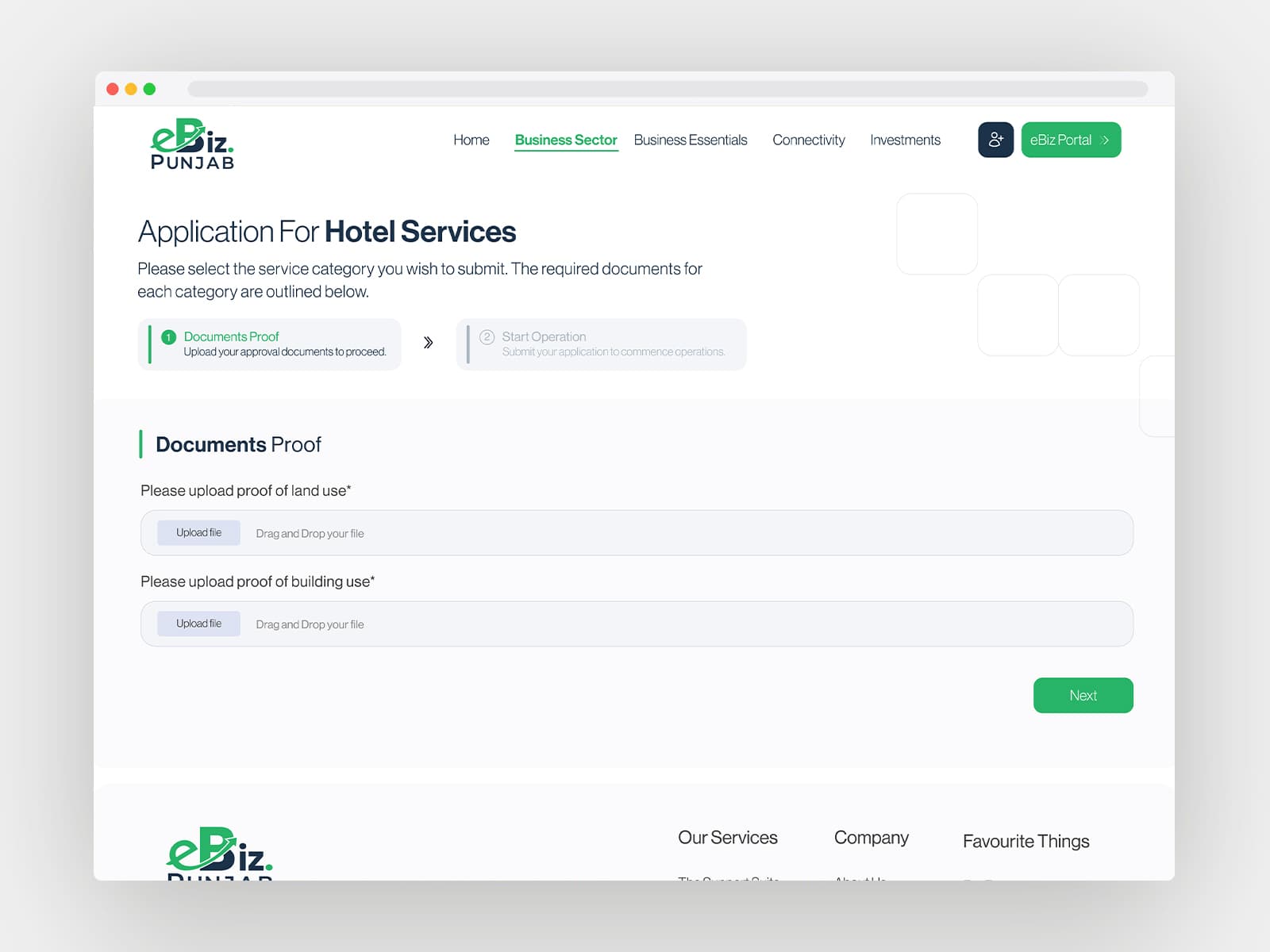
Three features addressed this: conditional fields that only show requirements relevant to the selected business type (reducing form length by 40–60%); auto-save with resume-later for applicants gathering documents over several days; and clear stage indicators that reduce the anxiety of “how much more is there?”
Not a revolutionary pattern, but applying it correctly to a government form with 30+ business types and varying requirements across multiple departments required careful information architecture.
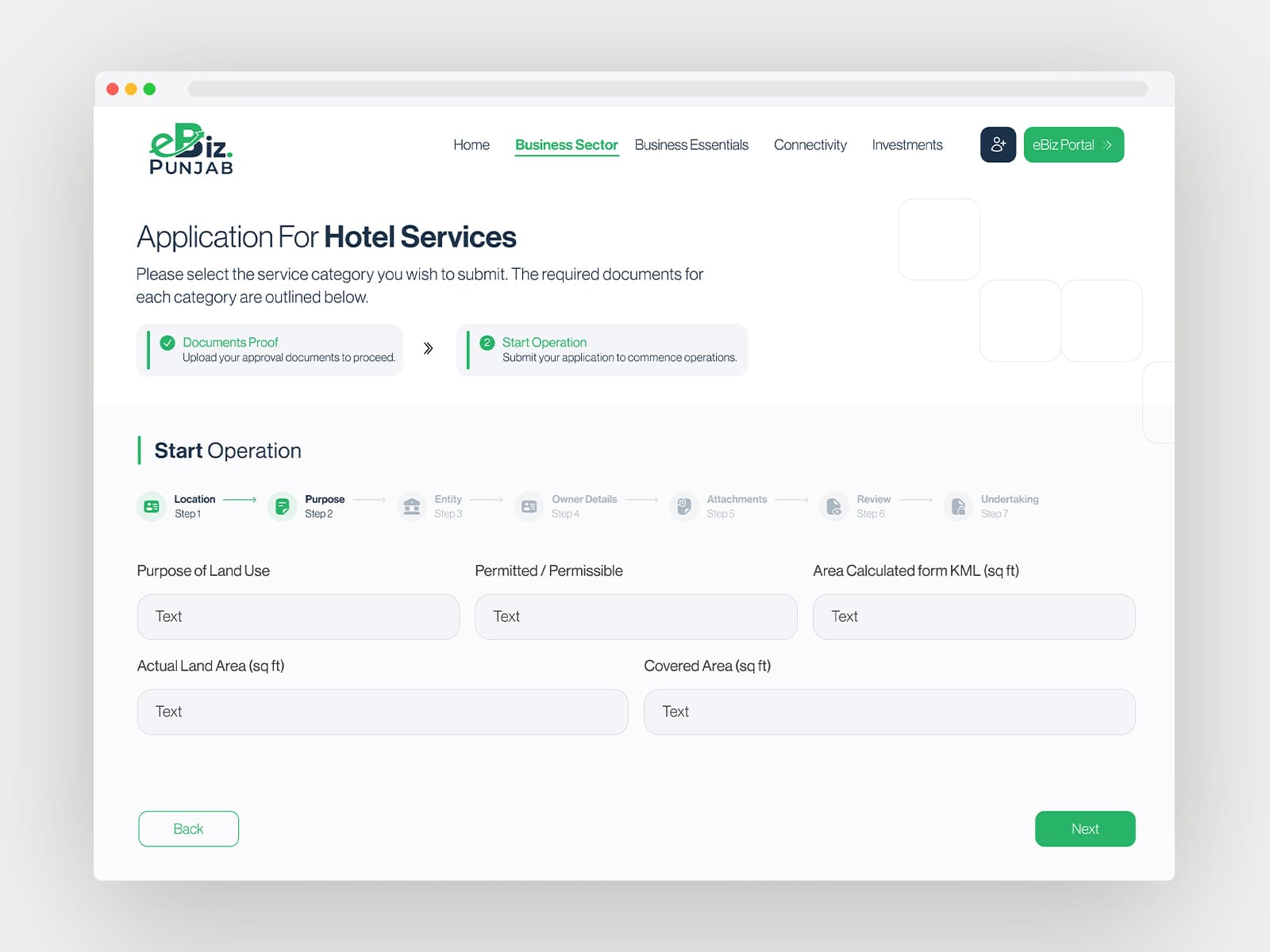
The solution: a single journey through multiple departments
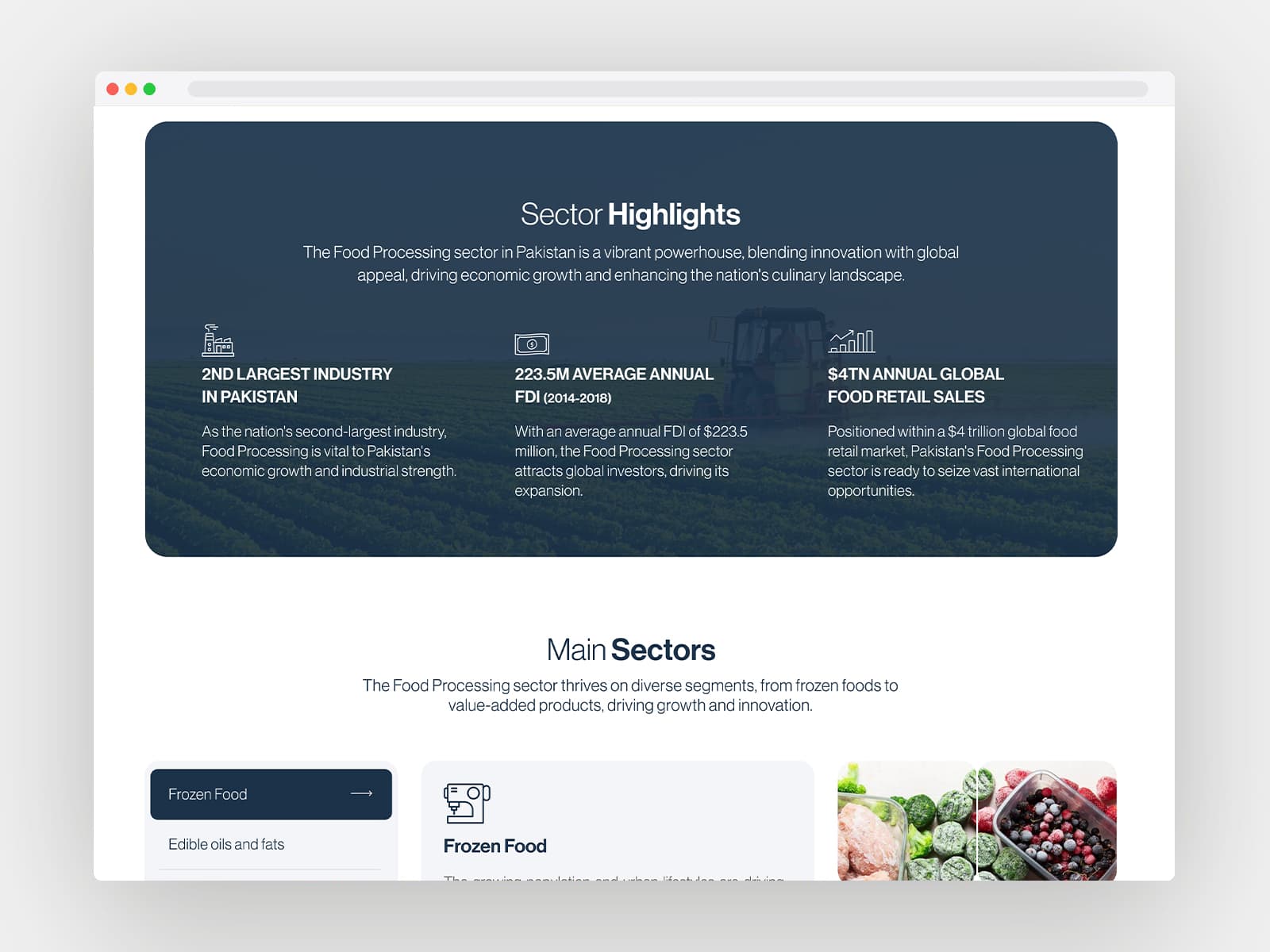
Business type selection & service wizard
Users select their business type; the system auto-identifies required registrations, licenses, and permits. Plain-language descriptions replace bureaucratic terminology. Supports 30+ business types.
Progressive application form
Multi-stage form that adapts to the selected business type. Conditional fields reduce length by 40–60%. Auto-save and resume-later. CNIC verification through NADRA pulls basic profile data automatically.
Unified payment
All fees across all departments consolidated into a single payment. Supports JazzCash, EasyPaisa, and debit/credit cards. Digital receipts linked to the application.
Applicant dashboard & tracking
One dashboard showing every department's review status in real time. SMS and email notifications at every status change. Downloadable certificates upon approval.
Admin CRM for department officers
Department officers see only applications routed to them, with relevant documents pre-organized. Approve, reject, or request additional documents. Processing timelines tracked for accountability.
Impact & scale
business registrations
days processing time
business types supported
national systems integrated: NADRA, SECP, FBR
departments, one login, parallel processing
Live at ebiz.punjab.gov.pk. The platform continues to expand as additional business types, departments, and service categories are added.
Benchmarking & standards
The design was informed by two reference frameworks. The old BRP provided the baseline: with 100,000+ registrations, it validated the core concept of online business registration in Punjab, and its limitation (registration only, no licenses or permits) defined the opportunity space for eBiz.
World Bank Ease of Doing Business standards informed the design principles: particularly around processing time reduction, elimination of physical visits, single-window approaches, and transparent tracking. These standards provided a defensible framework in stakeholder discussions, especially when navigating scope and complexity debates.
Reflection
eBiz was fundamentally different from every other project in my portfolio. It wasn’t about designing screens. It was about designing across organizational boundaries. The hardest design work happened before any interface was drawn: mapping which departments needed what, understanding how approval workflows differed, and finding the right abstraction layer that would let users interact with one system while multiple departments operated independently behind it.
The business type wizard is the simplest screen on the entire platform: a dropdown and a list. But behind that simplicity is a mapping of 30+ business types to hundreds of department-specific requirements. The user sees “You need 3 approvals.” The system knows which 3 departments, which documents each needs, which fees apply, and how to route the application to all of them simultaneously. The measure of good service design is how much complexity the user never has to encounter.
NADRA, SECP, FBR: these aren’t just technical integrations. Each one is a design decision about what the user does and doesn’t have to provide manually. Designing around government APIs isn’t backend work. It’s user experience work.